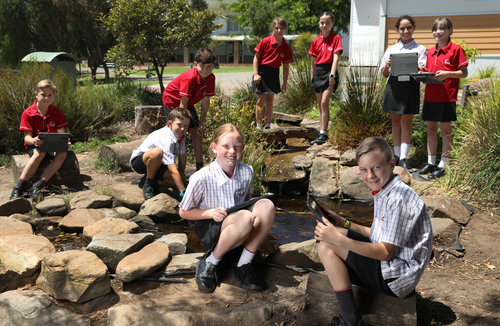
Tatachilla Lutheran College has a Bring Your Own Device (BYOD) program.

This program enables students and teachers to bring their own device to school for learning in the classroom, provided the device meets specific requirements of the College.

The BYOD approach recognises that choices about technology are personal. It also ensures that the students are comfortable with the device they will be using for their education.

ICT Service Desk

Phone: +61 8 8329 4460     
E-mail: ictservices@tatachilla.sa.edu.au
Location: College library
Hours: 8:00am - 4:30pm

 Tatachilla 2025

How does the BYOD program work?

At Tatachilla Lutheran College, students in Years 3 to 12 are expected to bring their own device to support learning each day.

  • Years 3–6: iPad
  • Years 7–12: Laptop

These device types have been carefully selected to suit each age group and the learning requirements of different subjects, including specialist areas such as Media Studies and Music.

Devices purchased and brought to school must meet specific requirements as outlined on this page.

Before being used at school, all devices need to be setup by our ICT Services team. For devices purchased for a new school year you must book a setup appointment here. Replacement devices purchased throughout the year can simply be brought to ICT Services as required.

As part of connecting to the college network, students and families are required to agree to our Acceptable Use Agreement, which outlines how devices are used safely and responsibly at school.

Devices for students in Junior Years (Years R-6)

Students in Reception through Year 2 experience traditional hands-on education, with access to a shared set of iPads at the College as required for specific activities.

Students in Year 3 through to Year 6 are required to have their own Apple iPad. This can be either a 10th generation or 11th generation (referred to as A16) iPad. The iPad mini is not an accepted device.

This can be purchased via the College purchase portal. Families are welcome to shop around at other retailers, however stock availability varies.

For 2027 devices please book the setup of your device here. Replacement devices purchased throughout the year can simply be brought to ICT Services as required.

Devices for students in Middle and Senior Years (Years 7-12)

From the start of Year 7, students are required to bring a fully charged Mac or PC laptop to school each day that meets the following requirements:

  • Processor - Apple M2 or newer, Intel Core i5/i7 13th generation or newer, or AMD Ryzen 7000 series or newer
  • Memory - Minimum 16GB
  • Power - Minimum 8-hour battery life + USB-C charging
  • Display - Minimum 13”
  • Weight - Maximum 2kg
  • Operating System - macOS Tahoe or Windows 11 25H2, or newer
  • Not Accepted - Devices not meeting specification (ChromeBook, MacBook Neo, SnapDragon processors, etc), gaming devices (Alienware, ROG, etc), tablet devices (Surface, etc)
  • Age - Devices should be replaced after 3 years. It is expected that an initial device is purchased for Years 7-9, and then a replacement device for Years 10-12. This ensures your student's most important years of school are not inhibited by a 6 year-old computer.

All devices need to be setup by our ICT Services team before they can be used at the College. For 2027 devices please book the setup of your device here. Replacement devices purchased throughout the year can simply be brought to ICT Services as required.

Purchasing Devices
To ensure that your device is compatible and is in stock, it is recommended to purchase a device via the College purchase portal. Families are welcome to shop around at other retailers, however, we strongly recommend taking a printed copy of the College specification requirements above to ensure a compatible device is purchased.

Device care

Student devices are privately owned and are not covered by the College’s insurance. As such, families are responsible for the care, maintenance and repair of their child’s device.

While our ICT Services team is available to assist with connecting devices to College systems, they are not able to repair, upgrade or service personal devices or operating systems.

The College strongly recommends that families consider insuring their child’s device against accidental damage, loss or theft. This can often be arranged through your home contents insurance or by purchasing a dedicated device protection plan.

If a student’s device is temporarily unavailable (for example, while being repaired), the College will provide access to a loan device for use at school, where possible.

Please note:

If a student is using a College loan device and it is damaged, lost or stolen, an insurance excess will apply and will be the responsibility of the family.
 

Loan devices

If a student forgets their device or their device is temporarily unavailable due to repair, ICT Services may be able to provide a short-term loan device for use during the school day.

Loan laptop chargers (USB-C only) may also be provided. These are for emergency use only and cannot be taken home.

Loan devices are provided at the discretion of the College. Students who frequently rely on loan devices, or who fail to return them on time, may have future access to loans restricted.

Loan conditions
All loans require a signed agreement from parents/caregivers confirming the following:

  • Loan items are for short-term, same-day use only. 
  • Late returns may incur daily charges. 
  • Any damage to College-owned equipment will result in an insurance excess charge. 
0
Yabbies in the mini-beast garden
0
Trees planted by our students in the EcoSanctuary each year
0
Active sporting teams